


125 Tech
Science & Tech
Follow me for free internet tricks and easy tutorials to setup different VPNS like http Custom, http injector, napsternetv VPN, socksip tunnel , open tunnel , ha tunnel ,OpenVPN and many more.
Interested? Want to learn more about the community?

Learn more first
Unlock Lightning-Fast Internet with a UDP Custom VPN Service

Tired of Slow VPN Speeds? Discover the Power of UDP Custom VPN

Are you frustrated with the sluggish performance of free VPN servers? Slow internet speeds can be a major hindrance, especially when you need a reliable and secure connection. But fear not, there’s a solution that can transform your online experience — a UDP custom VPN service.

Step-by-Step Guide to Setting Up Your Fast and Secure VPN
Our article provides a detailed step-by-step guide to setting up a UDP custom VPN, making the process simple and accessible to users of all levels of technical expertise.

Search for UDP Custom VPN Providers: Open your preferred web browser and search for “UDP custom” to find providers offering UDP custom VPN services.
Visit a UDP Custom VPN Website: Explore the websites of UDP custom VPN providers to start your journey to a lightning-fast internet experience.
Navigate to the Premium UDP Option (Mobile Devices): If you’re using a mobile device, locate and select the “Premium UDP” option to ...

Interested? Want to learn more about the community?

Learn more first
What else you may like…
Posts
Articles
Giveaway

Hi! Here you can pick up the crypt for free. TrumpCoin or USDT trump-coin.tech

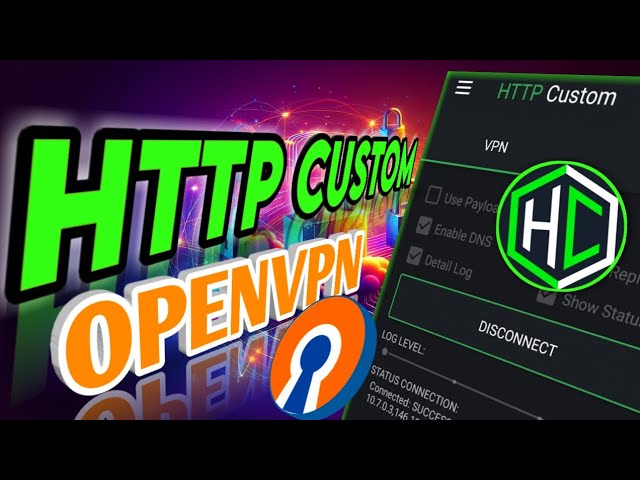
How to Setup HTTP Custom OpenVPN Server

In today’s digital age, protecting your online privacy and security has become a top priority. One powerful solution that has emerged is the HTTP Custom VPN app, which offers a range of cutting-edge protocols, including the renowned OpenVPN.

By leveraging the robust encryption and security features of OpenVPN, HTTP Custom VPN allows you to shield your online activities from prying eyes, ensuring your data remains safe and secure. This makes it an ideal solution for individuals, small businesses, and enterprises alike, who value their digital privacy and freedom.

In our comprehensive guide, we’ll walk you through the step-by-step process of setting up an HTTP Custom OpenVPN server, empowering you to take control of your digital footprint and safeguard your sensitive information. Here’s a glimpse of what you’ll learn:

1. Download and Install the HTTP Custom VPN App
2. Launch the HTTP Custom VPN App
3. Obtain an OpenVPN Configuration File
4. Create an OpenVPN Server on SSHMAX
5. Create an...

Live Chat
How-to-Create-Fast-HTTP-Custom-UDP-Server

Are slow UDP servers on HTTP Custom VPN causing frustration? In this video, we'll show you an easy solution to create a fast UDP server with unlimited bandwidth using Dark SSH. Follow along as we guide you through a step-by-step process, from visiting the Dark SSH website to setting up your server and connecting it to the HTTP Custom app.

Say goodbye to lagging connections and hello to lightning-fast internet speeds! We'll cover everything you need to know, including how to test your new server's performance and troubleshoot any issues that may arise.

Don't miss out on this game-changing tutorial! Learn how to optimize your VPN experience and unlock the full potential of HTTP Custom.

To read the full article with detailed instructions, FAQs, and more, visit here: https://125tech.online/how-to-create-fast-http-custom-udp-server/

How to Setup HTTP Custom OpenVPN Server


How to Setup HTTP Custom OpenVPN Server

In today’s digital age, protecting your online privacy and security has become a top priority. One powerful solution that has emerged is the HTTP Custom VPN app, which offers a range of cutting-edge protocols, including the renowned OpenVPN.

By leveraging the robust encryption and security features of OpenVPN, HTTP Custom VPN allows you to shield your online activities from prying eyes, ensuring your data remains safe and secure. This makes it an ideal solution for individuals, small businesses, and enterprises alike, who value their digital privacy and freedom.

In our comprehensive guide, we’ll walk you through the step-by-step process of setting up an HTTP Custom OpenVPN server, empowering you to take control of your digital footprint and safeguard your sensitive information. Here’s a glimpse of what you’ll learn:

  1. Download and Install the HTTP Custom VPN App
    2. Launch the HTTP Custom VPN App
    3. Obtain an OpenVPN Configuration File
    4. Create an OpenVPN Server on SSHMAX
    5. Create an SSHMAX Account
    6. Download the OpenVPN Configuration File
    7. Import the OpenVPN Config File into HTTP Custom VPN
    8. Connect to the OpenVPN Server
    9. Explore Additional Customization Options (Optional), including how to add custom Payload or SNI settings for your HTTP Custom OpenVPN server


Click here to read the full article :


How to Setup HTTP Custom OpenVPN Server - 12_5 Tech
Learn to download openvpn server and then use it on HTTP CUSTOM VPN. Also you will learn how to add payload and SNI.

https://125tech.online/how-to-setup-http-custom-openvpn-server/


125tech.online


Tags:
VPN, OpenVPN, HTTP Custom VPN, Cybersecurity, Online Privacy, Digital Security, Encryption, Internet Freedom, Bypass Restrictions, Step-by-Step Guide, Customization Options


Read full Article
Setting Up Custom UDP Hysteria Server on HTTP Injector


Looking to boost your browsing security and privacy? Consider setting up a custom UDP Hysteria server on HTTP Injector. Here's a quick overview of the process:

1. Download and Install HTTP Injector:

Find the app on your device's app store, install it, and launch it.

2. Configure Tunnel Type:

Access the tunnel section in the app, select "Hysteria" as the tunnel type, and save your settings.

3. Import Custom UDP Hysteria Server:

Return to the app's home screen, navigate to "Hysteria Settings," and either manually enter server details or import them from the clipboard.

4. Start VPN Connection:

Simply tap the "Start" button within the HTTP Injector app to initiate the VPN connection. It should connect within seconds.

5. Additional Resources:

Explore the linked videos for default server settings and creating your own UDP server.

Ready to dive in? For detailed instructions, read the full article by visiting the link below.

https://125tech.online/how-to-setup-http-injector-hysteria-for-udp/

Read full Article
Available on mobile and TV devices
google store google store app store app store
google store google store app tv store app tv store amazon store amazon store roku store roku store
Powered by Locals